✨ 100% FREE — No limits, no catch

Mail Merge.
Supercharged.

Send personalised bulk emails directly from your Excel spreadsheet. Beautiful templates, live preview, one-click send. All inside Excel.

🔒 No data leaves your machine
Works with Microsoft 365
💳 No credit card required
CTRL+ALT+Email Excel Add-in Screenshot
📸 Hero Screenshot
Excel with CTRL+ALT+Email taskpane open (1200×800)
Why CTRL+ALT+Email?

Everything you need.
Nothing you don't.

No subscriptions. No feature gates. No usage caps. Just a powerful mail merge tool that lives inside Excel.

📊

Your Data, Your Way

Select any Excel table or range as your data source. Column headers become merge variables automatically.

✍️

Rich Email Composer

Write beautiful emails with a full rich-text editor. Insert variables with a click — they auto-highlight in your template.

👁️

Live Preview

See exactly what each recipient will receive before sending. Cycle through rows to check every personalised version.

🚀

One-Click Send

Send all emails with a single click. Watch the real-time progress bar as each message is dispatched.

🔐

Microsoft SSO

Sign in with your Microsoft account. Emails are sent from your Outlook — no third-party relay, no spam risk.

🧪

Test Before You Send

Send a test email to yourself first. Verify formatting, variables, and layout before the real send.

3 Simple Steps

From spreadsheet to sent
in under 2 minutes.

01

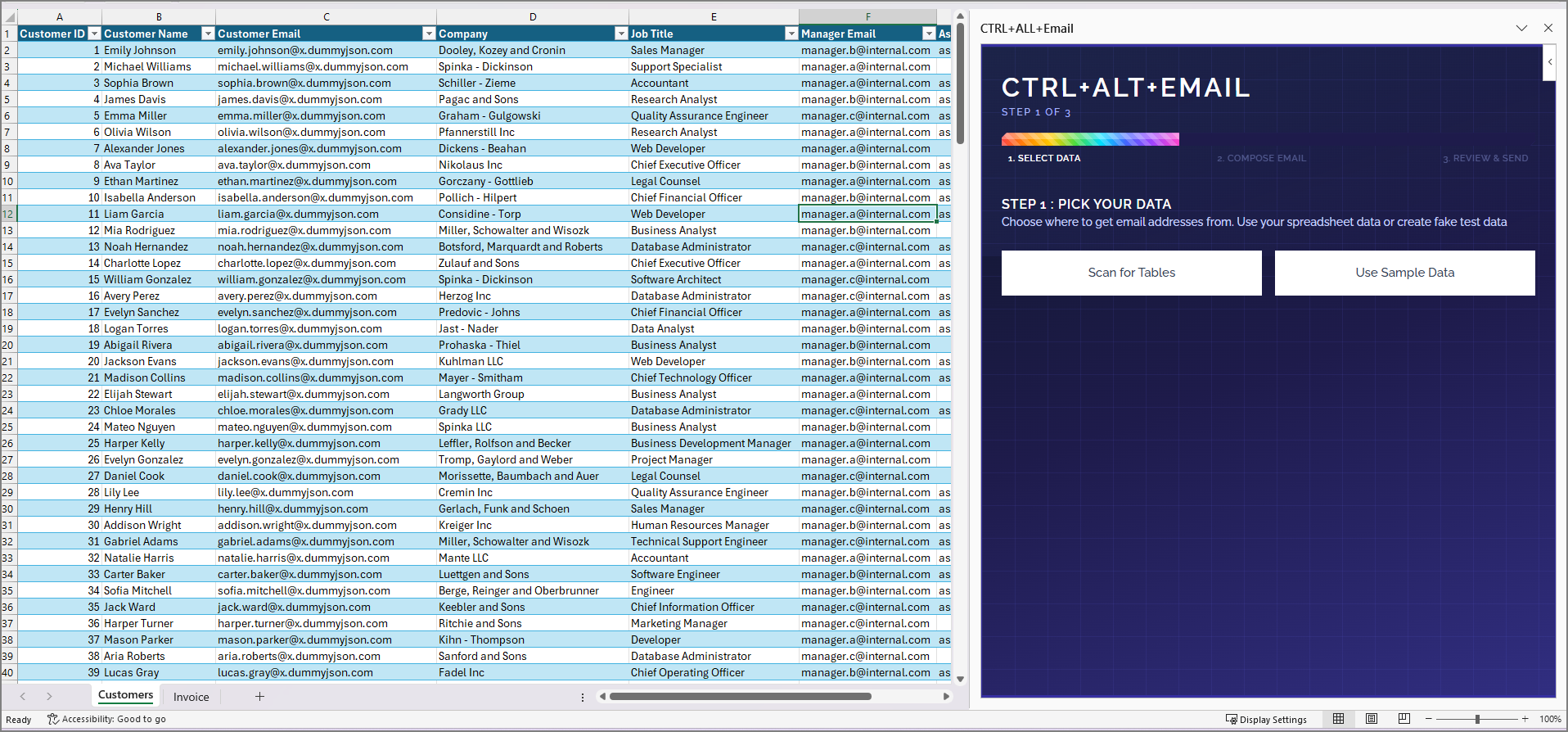
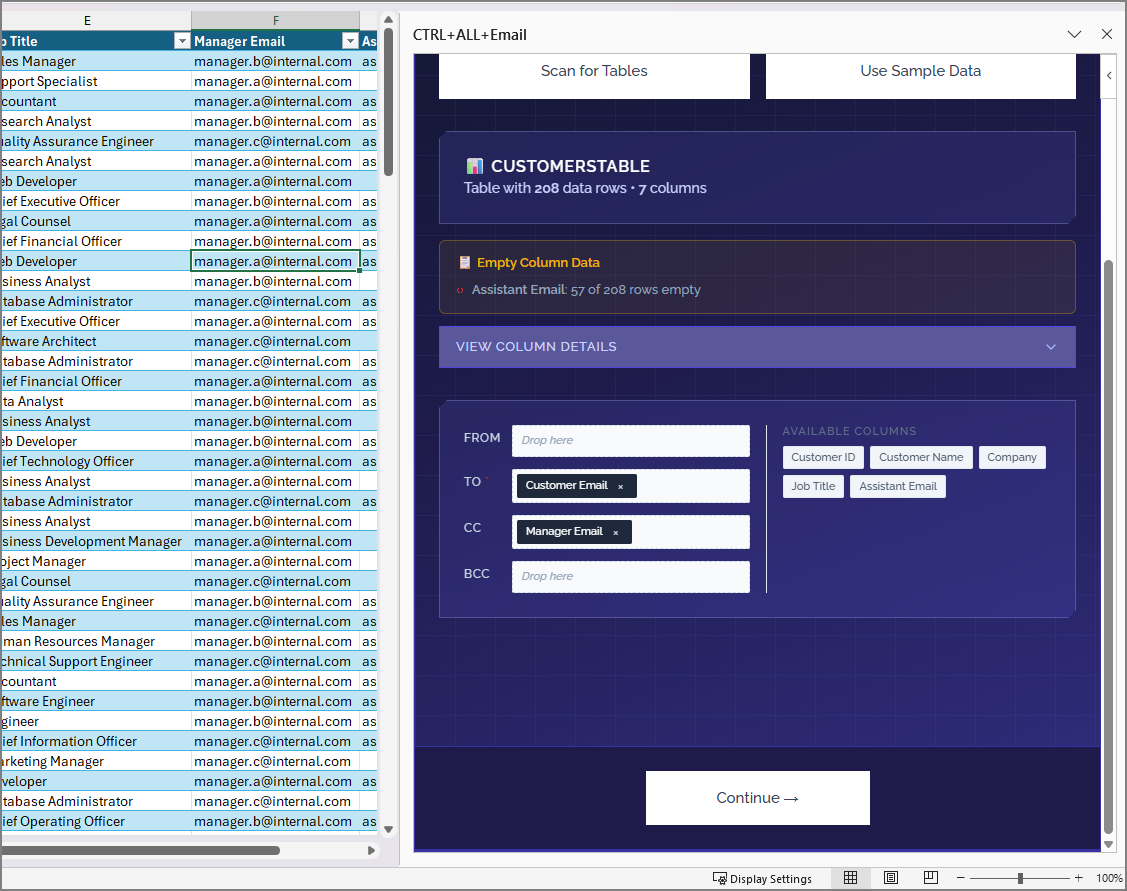
Pick Your Data

Select a table in your spreadsheet. CTRL+ALT+Email detects your columns and maps them as merge fields.

Step 1 Screenshot
02

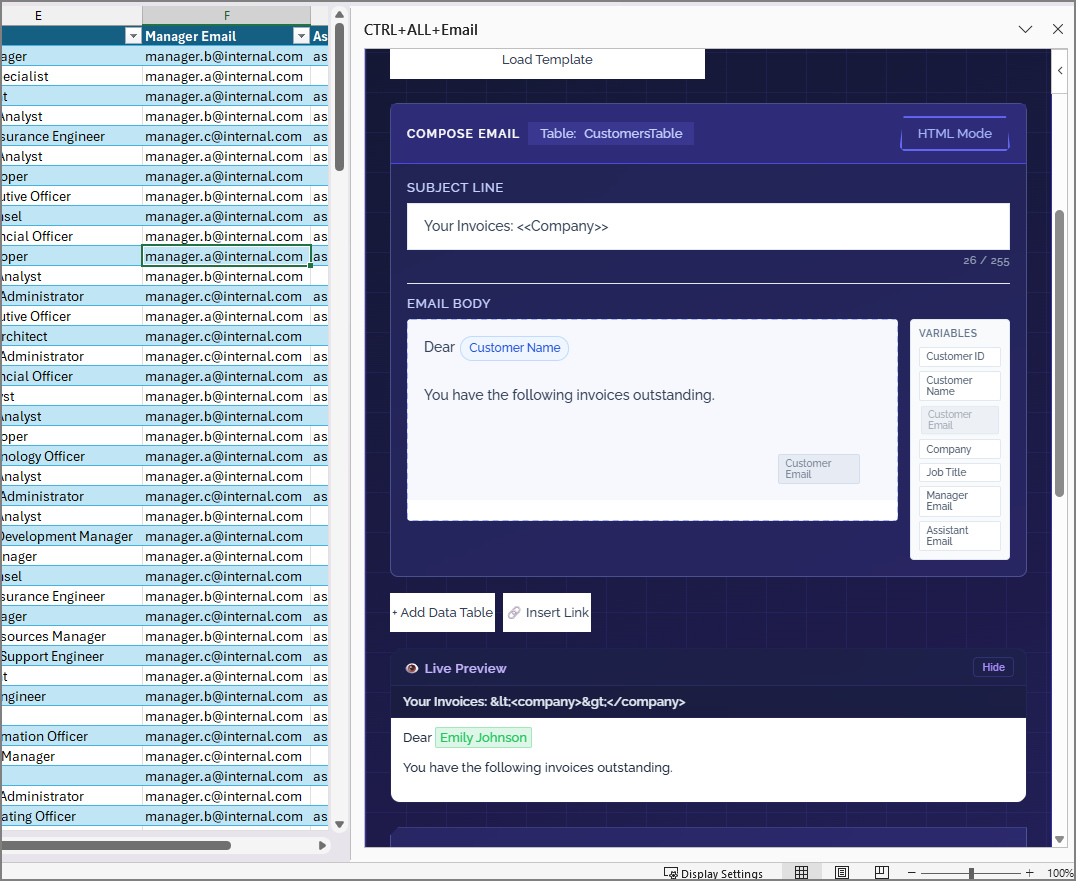
Compose Your Email

Write your message using the rich editor. Click to insert personalised variables like {{FirstName}} or {{Company}}.

Step 2 Screenshot
03

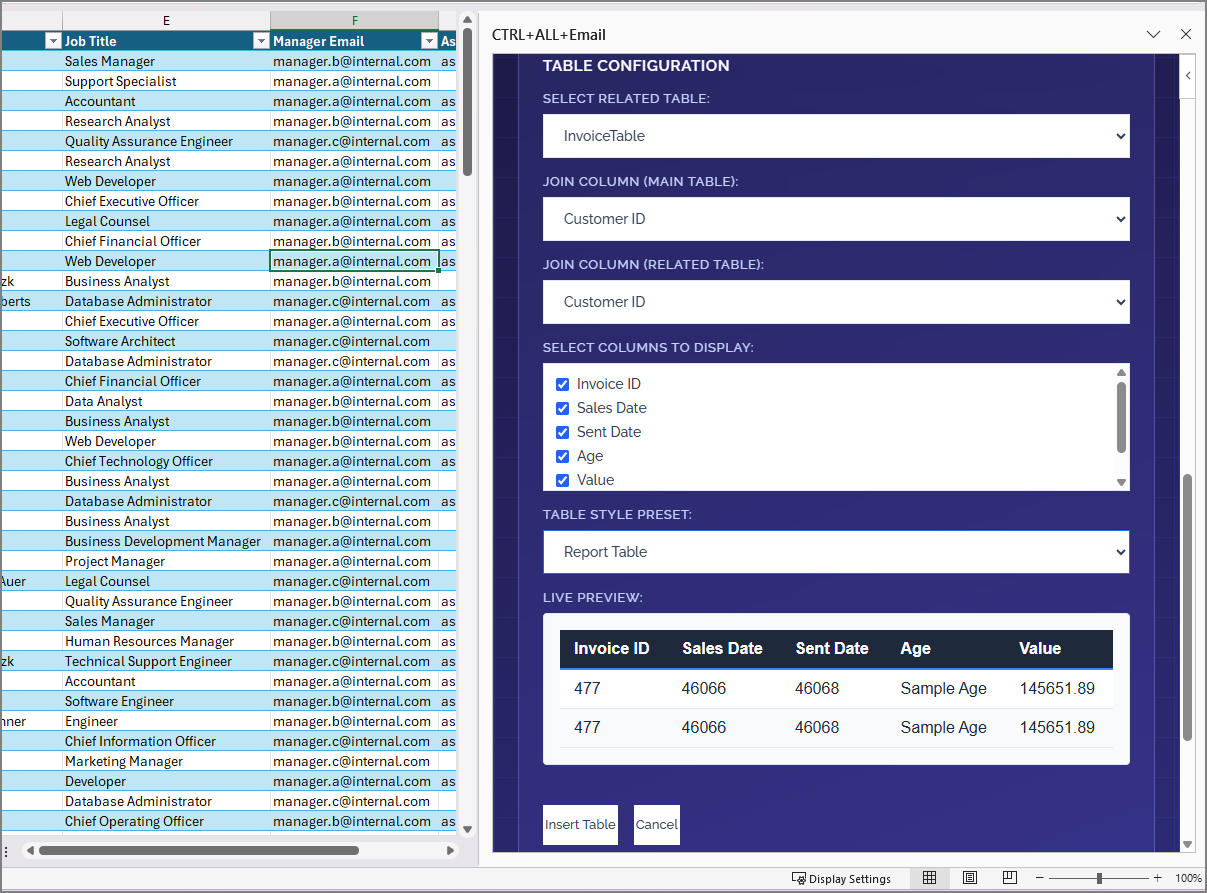
Preview & Send

Preview each email, send a test to yourself, then hit Send All. Track progress with the live progress bar.

Step 3 Screenshot
Pricing

Free. Forever.
Seriously.

No tiers. No limits. No "upgrade to Pro" nag screens. Every feature is available to every user.

THE ONLY PLAN
$0
per month, forever
Install Now — It's Free
FAQ

Got questions?

Is it really free?

Yes, 100%. There are no hidden costs, no premium tiers, and no usage limits. CTRL+ALT+Email is a passion project built to solve a real problem.

Where are my emails sent from?

Emails are sent from your own Microsoft 365 / Outlook account via the Microsoft Graph API. They appear in your Sent folder as normal emails.

Is my data safe?

Your spreadsheet data never leaves your machine. The add-in reads your data locally and only sends the composed emails through Microsoft's secure infrastructure.

Does it work on Mac / Web?

Currently optimised for Excel on Windows desktop. Support for Mac and Excel for the Web is on the roadmap.

What's the maximum number of emails I can send?

There's no limit from our side. The only limit is your Microsoft 365 sending quota (typically 10,000 emails per day for business accounts).

Ready to send
smarter emails?

Install CTRL+ALT+Email right now. It takes 30 seconds.

Get CTRL+ALT+Email — Free